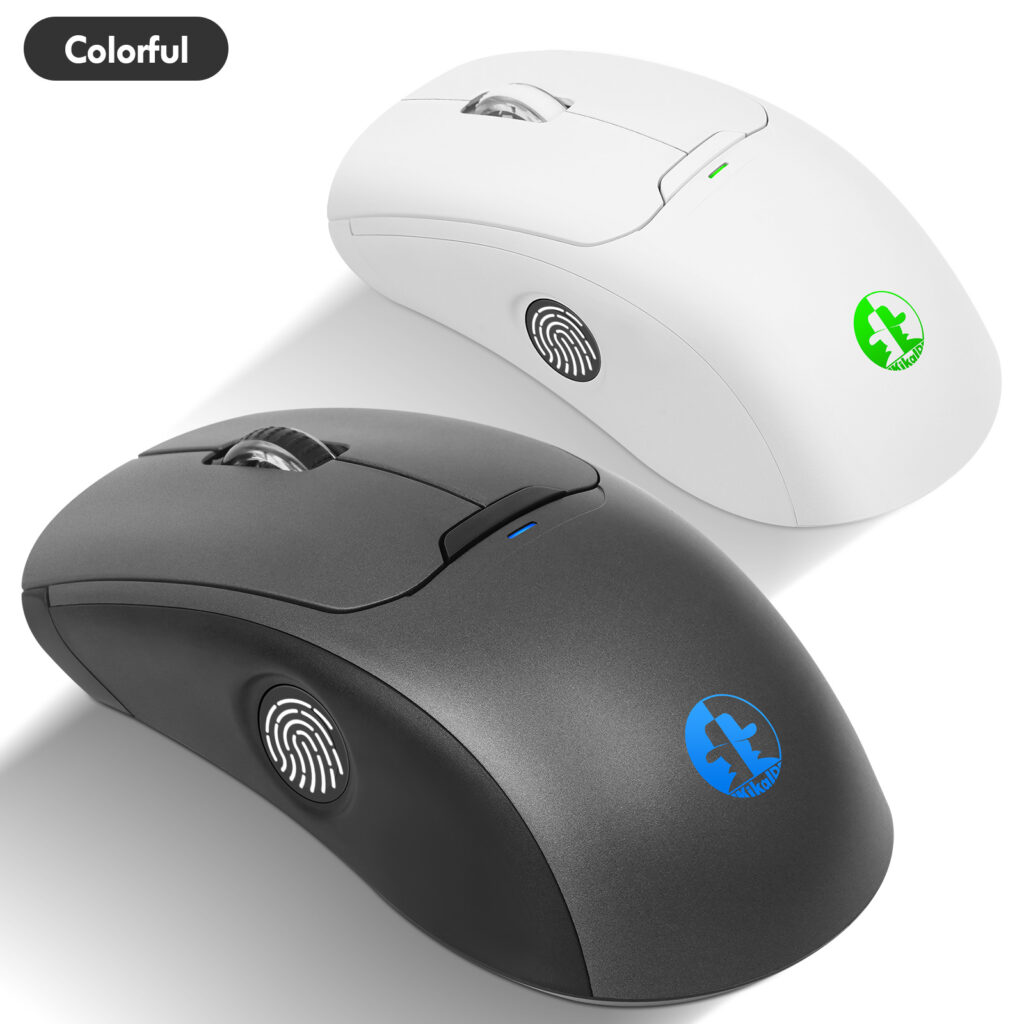
How to Use a Wireless Fingerprint Mouse to Log Into Ubuntu
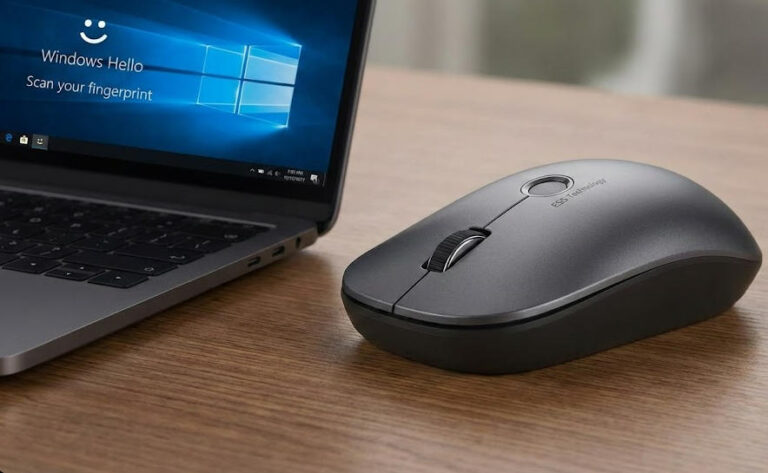
Are you tired of entering your password every time you log in to Ubuntu? With our innovative wireless fingerprint mouse and dedicated Kikaid software, you can now enjoy fast, secure fingerprint login. This guide details the setup process, making it easy to embrace this convenient technology.
Why choose the wireless fingerprint mouse with Kikaid?
Traditional password logins are both cumbersome and insecure. Our solution delivers:
▷Enterprise-grade security: Kikaid software employs advanced encryption algorithms to protect your biometric data
▷Seamless integration: Optimized for Ubuntu systems, providing a native-like experience
▷Rapid response: Completes recognition and login in under 1 second
▷Multi-device management: Supports managing multiple fingerprint devices through a single Kikaid instance
Preparation Checklist
Before installation, ensure you have:
▷Our wireless fingerprint mouse (with sufficient battery charge)
▷Kikaid software package (latest version) http://www.ab2cd.com/
▷Ubuntu 18.04 LTS or higher
▷Stable internet connection (for downloading dependencies)
▷An account with sudo privileges
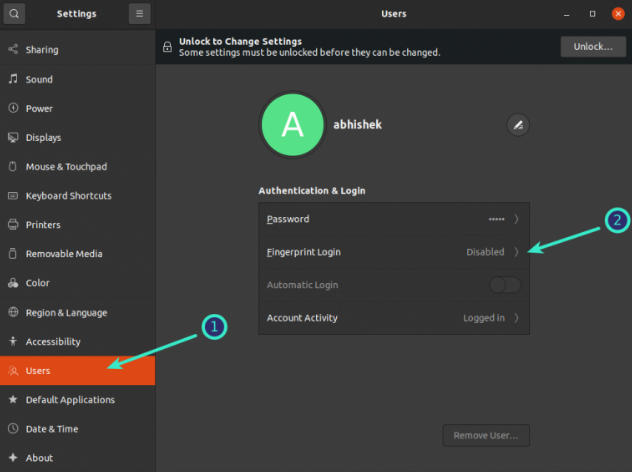
Go to “Settings,” then click ‘Users’ in the left sidebar. You should see all user accounts on the system here. You’ll see several options, including “Fingerprint Login.”
Click the Fingerprint Login option here.
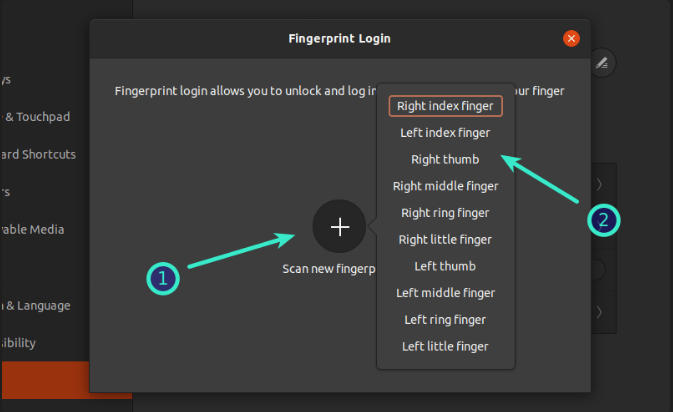
It will immediately prompt you to scan a new fingerprint. When you tap the “+” sign to add a fingerprint, it displays some predefined options to help you easily identify which finger or thumb it is.
When adding a fingerprint, rotate your finger or thumb as directed.
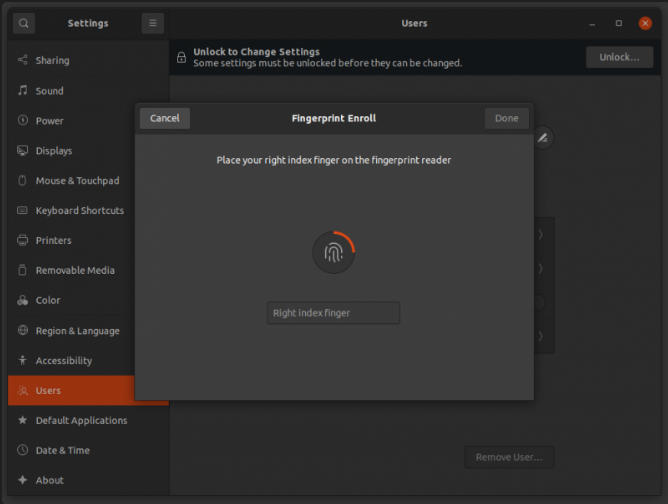
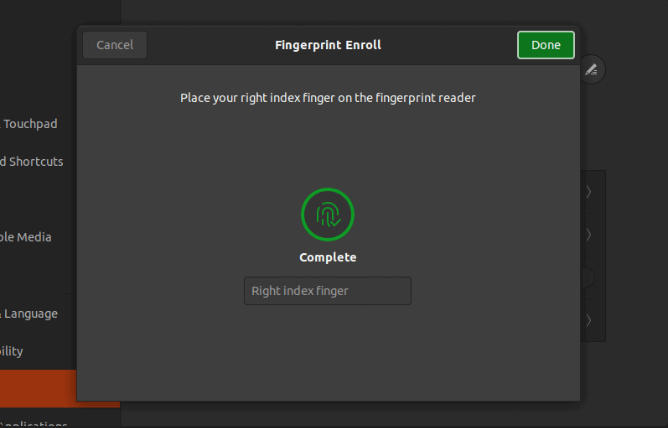
Once the system has registered the entire finger, it will give you a green signal indicating that the fingerprint has been added.
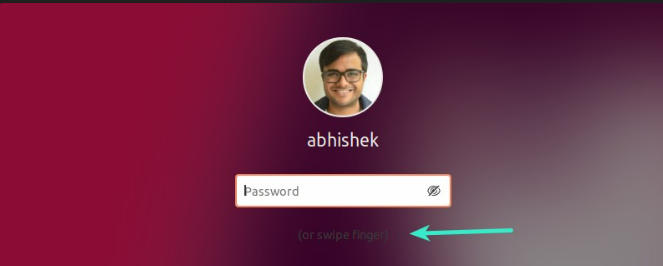
If you want to test it immediately, press the Super+L keyboard shortcut in Ubuntu to lock the screen, then log in using your fingerprint.
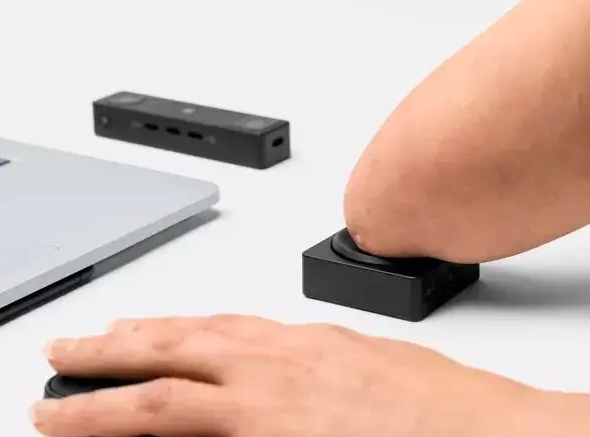
If you want to enable fingerprint login on Ubuntu, our Wireless Fingerprint Mouse or One-Touch ID device can help you achieve it easily. For enterprises that need customized development, feel free to contact us at hndxzlp@gmail.com