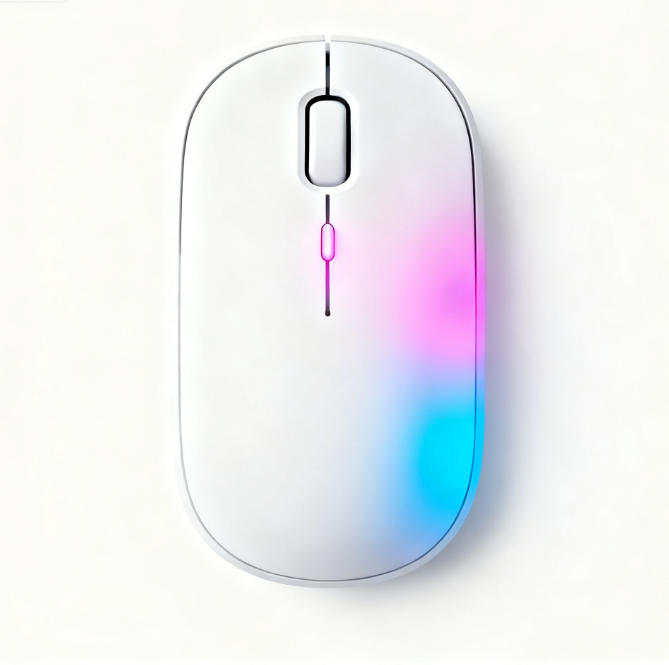
Wireless Fingerprint Mouse: Fingerprint Module Size Guide
When selecting a wireless fingerprint mouse, many focus on DPI, battery life, and ergonomics, yet one crucial detail is often overlooked—the size of the fingerprint module. This seemingly minor component directly determines the security experience, comfort, and even lifespan of the wireless fingerprint mouse. So, what should be the ideal size for the fingerprint module in a wireless fingerprint mouse? Today, we’ll delve into this question to help you make an informed choice.
Why is fingerprint module size so crucial for wireless fingerprint mice?
As the core security component, the module’s dimensions aren’t arbitrary. They require a delicate balance between several critical factors:
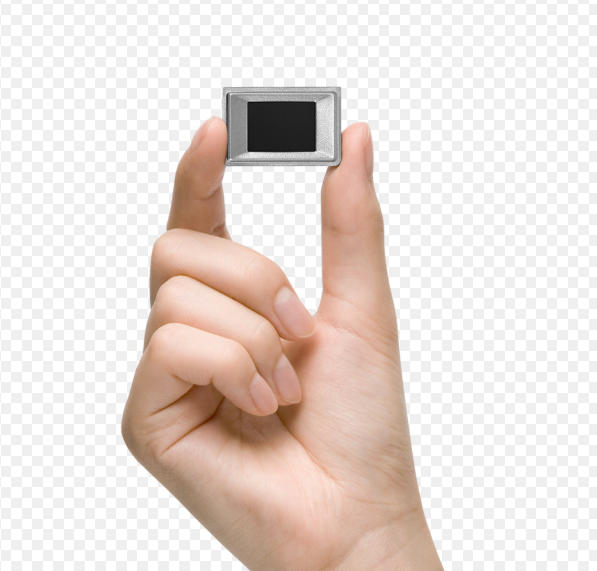
1. Capture Area vs. Recognition Accuracy: Generally, a larger sensing area captures more fingerprint data points, leading to higher recognition accuracy and speed. An overly small sensor may require multiple finger repositioning attempts for recognition, severely impacting the mouse’s usability.
2. Ergonomics and Aesthetics: Wireless fingerprint mice typically feature sleek, compact designs. The fingerprint module must integrate seamlessly into the thumb side panel, behind the scroll wheel, or on the mouse back cover. Excessively large dimensions may disrupt the overall design and compromise grip comfort; conversely, overly small sensors can be difficult to locate, degrading the user experience.
3. Security Assurance: A larger sensing area typically indicates more advanced sensor technology (such as capacitive or radio-frequency sensors). These technologies can penetrate the skin’s surface to read dermal layer patterns, effectively preventing attacks using fake fingerprint membranes and thereby enhancing the security level of wireless fingerprint mice.

Analyzing Mainstream Sizes: Finding the “Sweet Spot” for Wireless Fingerprint Mice
Current wireless fingerprint mice generally fall into several size tiers:
1. Compact (side length ≤8mm): Common in early models or ultra-minimalist designs. Advantages include discreet placement that preserves aesthetics. Disadvantages include relatively lower recognition success rates, potentially requiring precise pressure, making them unsuitable for users prioritizing rapid unlocking.
2. Standard (8-12mm diagonal): This represents the current mainstream “sweet spot” size for wireless fingerprint mice. It strikes a good balance between recognition accuracy, speed, and mold design. This dimension captures sufficient fingerprint features for rapid verification while integrating elegantly into the mouse’s side or button area without appearing intrusive. For most office and everyday security needs, this size is entirely sufficient.
3. Enhanced (12mm+): Typically found in high-end or security-focused wireless fingerprint mice. The larger surface area delivers an experience close to professional fingerprint time clocks, enabling near “one-touch unlock” functionality and supporting richer features like swipe capture. Naturally, these mice may require larger enclosures to accommodate the module, resulting in increased size and price.
Golden Rule: How to Choose the Optimal Size for Your Wireless Fingerprint Mouse?
There’s no absolute right or wrong—only suitability. Follow these guidelines:
1. Prioritize Purpose: For daily office logins and quick website password filling, the standard-sized module (8-12mm) is the safest and most common choice, perfectly balancing efficiency and comfort.
2. Security Level: For handling highly sensitive financial data or corporate secrets, prioritize wireless fingerprint mice with enhanced modules (>12mm). Their superior security algorithms and anti-spoofing capabilities build a more reliable defense.
3. Hands-On Experience: As the saying goes, “Only the wearer knows if the shoe fits.” If possible, physically test the mouse. Place your finger naturally on the fingerprint recognition area and assess whether the module is easy to locate and comfortable to press. A well-designed wireless fingerprint mouse should make the fingerprint module feel like an almost seamless extension of your natural hand movements.
4. Focus on Technology, Not Just Size: Size is fundamental, but sensor technology is equally critical. High-quality capacitive sensors can deliver excellent recognition even in standard sizes by utilizing higher resolutions (e.g., 500 DPI or above). Therefore, when selecting a wireless fingerprint mouse, evaluate its “size” alongside parameters like “sensor type” and “resolution.”
Returning to the original question: What size should a wireless fingerprint mouse’s module be? The answer: For most users, a standard wireless fingerprint mouse with a sensor area between 8 and 12 millimeters on each side strikes the optimal balance between experience and cost.
This parallels ancient swordsmiths: a blade’s value lies not in sheer weight, but in balanced center of gravity and harmonious blend of strength and flexibility. An exceptional wireless fingerprint mouse’s module size is always the result of thoughtful integration with overall design, security performance, and user experience.
When selecting your next wireless fingerprint mouse, don’t be swayed solely by aesthetics or specs. Focus instead on this security core hidden in the details—the fingerprint module. Choose the companion with the “just right” size, and it will become both a convenient and reassuring guardian in your efficient digital life.
We hope this article helps you evaluate wireless fingerprint mice more professionally and make the best choice. If you’re also interested in other features of wireless fingerprint mice—such as encryption chip levels or battery life—stay tuned for our professional reviews.